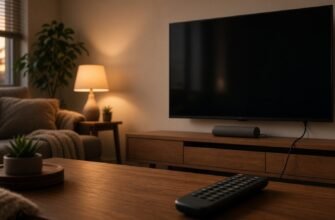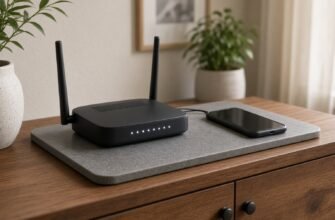


If weak Wi-Fi interrupts video on your TV, try Ethernet. Connect the TV’s LAN socket to a free LAN port on the router with a network cable. If the TV has no LAN socket, check its manual and adapter compatibility before buying one.
What is going on
Wi-Fi is convenient, but walls, mirrors, and neighbor networks cut speed hardest on a big screen that pulls high-quality video without pauses. A cable from router to TV skips the air: the signal rides copper, and buffering more often ties to the service or the plan, not “bad Wi-Fi in the corner”. Not every TV has LAN; on ultra-thin models the jack sometimes sits on a kit adapter, and without that small dongle there is nowhere to plug in, so I check the box and the manual before running to the store for a “magic” adapter.

You need a normal network cable, the same kind a laptop uses at an office jack – not HDMI and not antenna. Length should reach without tension, with a little slack so sliding the cabinet does not yank the plug. If the router is in another room and running cable through a doorway is awkward, powerline or a separate access point can help later, but first check whether a simple wire reaches the nearest router port or a hallway switch.
After plugging in, the TV may show a wired connection in the network list, or it may leave Wi-Fi on and get confused which path to use. In the network menu I turn off wireless or forget the old network while testing so streams use the cable. The router admin address is usually not needed for this job: the cable works without the admin page if the router hands out addresses itself, and the sticker matters only when the TV says there is no cable though the plug is firm.
If there is no LAN port
Some TVs have no Ethernet, and then you improve Wi-Fi: raise the router, take it out of a cabinet, connect the TV to 2.4 GHz if 5 GHz fails through a wall. USB Ethernet adapters exist, but compatibility depends on the model, and I do not promise any cheap dongle from the first listing will work on your screen. First check for a branded adapter in the box, then look at the maker’s compatible list on a site you opened yourself.
Do not confuse the internet cable with the antenna: the antenna gives broadcast channels, LAN gives internet for apps. HDMI carries picture from a set-top box but does not give the TV internet by itself unless the box shares a network. If your operator box already sits on a cable, it is sometimes easier to watch through it and leave the TV as a monitor instead of running a second wire across the room.
What to check, in order
- Find the TV LAN port or kit Ethernet adapter and confirm it is not HDMI or antenna.
- Take a normal network cable of enough length and click one end into the TV LAN.
- Plug the other end into a free LAN port on the router, not WAN where the provider cable arrives.
- In the TV network menu open connections and wait for a wired status.
- For the test, turn off or forget Wi-Fi on the TV so traffic rides the cable.
- Open your usual video app and see whether buffering pauses are gone.
- If the TV says there is no cable, reseat the plug, try another LAN port on the router, and another cable.
- If there is no port and no kit adapter, improve Wi-Fi or check a compatible adapter on the maker’s site, not the first ad.

Where people usually go wrong
- They plug into the router WAN and wonder why the whole home lost internet.
- They confuse HDMI and Ethernet and hunt for “internet” in HDMI input settings.
- They leave Wi-Fi on and think the cable works while traffic still rides the air.
- They pull the cable tight and later yank the jack when moving the cabinet.
- They buy a random USB adapter without checking TV model compatibility.
A cable into LAN is often steadier than weak TV Wi-Fi. The router port must be LAN, not WAN, and the sticker admin address is usually not needed for a simple cable.

If running a cable is not an option, see where to start when the TV does not see home Wi-Fi, why a device clings to weak Wi-Fi when a faster one is nearby, and how to play a film from a phone on an old TV without Smart TV.