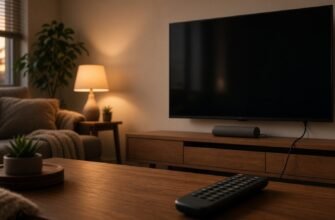


You turn the TV on, and instead of channels the screen asks for mail and a password. The remote is alive, a picture from the box is sometimes there, and the built-in channels and the app store sit on a “sign in” screen. It feels as if nothing can be watched without the maker’s account.
That is how the smart shelf is built, not the whole TV. The antenna, HDMI, and a flash drive often live without that mail. Where the Skip button is, Samsung, LG, and Android TV label it differently. Look for the meaning: skip, later, not now. Phone help does not copy these screens.

What is happening
The TV account is needed by the app store, by recommendations on the home screen, and by some channels that come over the internet inside the shell. An ordinary channel from the antenna, or a box in HDMI, does not answer to that mail. You can watch the HDMI input even if the first-run wizard still hangs over the smart menu.
At first power-on or after a reset, the wizard asks for country, network, and account in a row. At the bottom or the side there may be “skip” or “set up later”. If you press next on every step, the TV will decide the account is required, although it is not needed for the input from the box. You can usually go back with the remote arrow until you have confirmed creating the mail.
Separate apps will still ask for their own sign-in. A cinema will not open a film without its own account, and the TV account does not replace it. That is a different login. It makes sense to skip the TV’s general request, not to expect a stranger service to become free without registration. Do not invent a bypass.
Recommendations and ad shelves on the home screen are fed by this account and the network. They are not the same as channels. You can stay signed out and use the input button on the remote: HDMI 1, HDMI 2, antenna. Input names differ by brand. The button is often labeled Source, Input, or a rectangle icon.
Someone else’s mail, typed “just so it goes away”, stays on the TV. Then codes and receipts go to the wrong person. Do not take a password from a chat and do not create an account in a hurry if a skip button exists. No skip button – sign-in really is needed for the shell’s apps, and not for HDMI.
What is usually alive without an account
A box, a game console, and a stick in HDMI show their own menu. Here the TV is a screen. Their accounts are entered on them, not on the TV maker’s splash. A flash drive with a file in the USB player on many models opens from the input menu without mail. If the player also asks for an account, that is already the shell, and it is simpler to watch the file from the stick.
A factory reset of the TV just to skip the account erases channels and inputs. Press the source button first. If the box picture is there, the smart-menu splash is not holding you hostage. I would not reset the TV until HDMI has been checked.
Kids mode and a second profile also ask for mail separately. You skipped sign-in on the adult screen, the child opened their profile, and the wizard started again. Look for skip in the profile that is on the screen now. The shared antenna is not locked by that. Do not create a separate mail for the child only to close a colorful splash.
The app store will not install a new cinema without sign-in. That is an honest boundary. You can watch what is already coming from the box. If there is no box and you specifically need the store on the TV, then the account is yours, with mail you open yourself. Do not take a password from a video that says “one for everyone”.
What to check, in order
- On the remote, press the input button, Source, or the screen icon. Choose the HDMI where the box is plugged, or the antenna. Do not stay on the home shelf that asks you to sign in.
- If the first-run wizard is open, find “skip”, “later”, or “not now”. The label moves around. Do not look for one line from someone else’s photo.
- Do not type someone else’s mail and a password from a chat just to close the window. Skip is more honest than a random account.
- Open the cinema app separately. Its sign-in is not the same as the TV account. No account of your own for the service – that service will not work, and changing HDMI does not fix it.
- Check a flash drive through input or media, if that item exists without mail. It asks for an account here too – watch the file from the box.
- You do not have to set up recommendations on the home screen. They do not turn the antenna on or off.
- Wi-Fi is not required on the TV for HDMI. 2.4 GHz will be needed later if you do install an app. Many TVs do not see 5 GHz. That is not tied to the sign-in window.
- Leave a factory reset only if there is no skip, no input button, and no picture from the box. Before that, remember that channels will have to be found again.

Where people usually go wrong
- They think any HDMI goes dark without the maker’s mail.
- They type the first password they see, to close the wizard.
- They mix up the TV account and the cinema account.
- They reset the TV without pressing the input button.
- They look for one “skip” item on every brand and, not finding it, agree to every screen in a row.
The shell account is not needed to show HDMI or the antenna. Do not type someone else’s mail for the sake of a Next button. A cinema service will still ask for its own sign-in if you opened that one.

What to do today
Press input select and open the box or the antenna. In the wizard, look for skip by meaning, not by a line number from someone else’s site. Create mail only if you yourself need the app store on this TV, and only your own. A cinema that asks for a separate password is not bypassed with a random TV account.