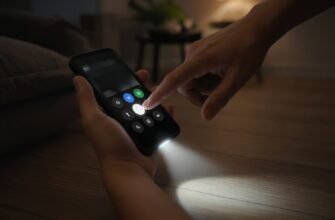

A separate ringtone helps you identify a caller without looking at the screen. On Android, assign it in the contact card. Menu labels may differ between Samsung, Xiaomi, and Google Contacts.
What is going on
The general incoming-call sound lives in sound settings and applies to every number without a personal ringtone. If you assign a melody to a contact, the system uses that file for their calls and keeps the general one for everyone else. That way you can mark family, work, and school with different signals and not confuse them with sales calls.

You usually pick from built-in tones or from your own files in storage if the format is supported. Sometimes the ringtone field hides behind Edit or a “More” menu and is invisible until you enter edit mode. Contacts can also exist as separate copies in Google, on the SIM, and on the phone, and you may edit the card that is not the one used for the real call – so after changing the sound it helps to check which record is primary.
In messengers, per-chat notifications are not the phonebook ringtone – they are WhatsApp or Telegram settings. If the person writes in a messenger, the contact ringtone does not apply. For a normal mobile call you need the card in Contacts and permission for the Phone app to read that book.
Some skins also offer vibration or light labels for contacts, but for “know by sound” a melody is enough. I do not install third-party ringtone changers for one person: the extra access to contacts and files is not worth it.
What to check in order
- Open Contacts or Phone on the people list and find the person you need.
- Tap edit on the card and look for “Ringtone”, “Melody”, or “Call sound” – the label depends on the brand.
- Pick a melody from the list or point to your own file, then save the contact – otherwise the change is not stored.
- Ask that person to call, or call your number from another phone, and confirm the chosen signal plays.
- If the sound stays general, check for a duplicate contact and assign the ringtone on the card that holds the real number.
- Make sure Do Not Disturb is off and ringer volume is not zero, or any melody will be silent.
- For messenger messages, set the sound inside the messenger, not in the phonebook.
- Repeat for two or three most important people and leave the general ringtone for everyone else.

Where people usually go wrong
- They change the general sound in Settings and think it became personal for one person.
- They pick a melody but forget to save the card.
- They edit an old duplicate without the number that actually calls.
- They expect the contact ringtone to change WhatsApp notification sounds.
A personal melody is set in the contact card after edit and save; the general ringtone in sound settings still plays for every other number.
If the list is short, put a short mp3 on the phone and point to it where the skin allows. Do not pick a half-hour track: a long file is awkward as a signal and sometimes crops badly. A short recognizable clip works better than any “unique” tone from a shady app.
To keep melodies from blending, I choose short and very different signals: softer for family, sharper for work, system default for everyone else. A long song as a ringtone annoys faster than it helps identify the caller. If the contact both texts and calls, remember message sound is separate in the messenger – otherwise it feels like the ringtone “failed” when it was not a phone call at all.
After switching phones, check personal ringtones: they do not always transfer with contacts. Reassign them if needed. Unknown numbers can keep the general ringtone.
If the contact melody sounds different in headphones than from the speaker, I check not only the card but where call audio is routed. Bluetooth sometimes grabs the signal and it feels like the “wrong” ringtone even though the file is correct. For a check, wait for a call without headphones and compare again. That separates contact settings from the audio path faster.
Choose different tones for contacts you want to distinguish by sound. If they all use the same clip, the ringtone will only tell you that someone in that group is calling.

What to do today
Assign a ringtone to one contact and ask them to call as a test. If the general tone plays, check for duplicate cards and unsaved changes.